Which clone upgrade do you need?
Choose Portal when the visible delay is summoning a replacement, Number of Clones when you need more active clones, and Steal when the limiting value is how many times a clone can steal. These are separate controls in the reviewed menu. A purchase in one column is not evidence that the other two improved.↗
Before spending, watch a clone from the portal to its target and back. A missing egg can begin with a missing clone, an unreachable target, an unfinished return, or the next hatch step. Buying extra capacity will not tell you which stage failed. This guide narrows the problem to an observable step before you choose an upgrade.
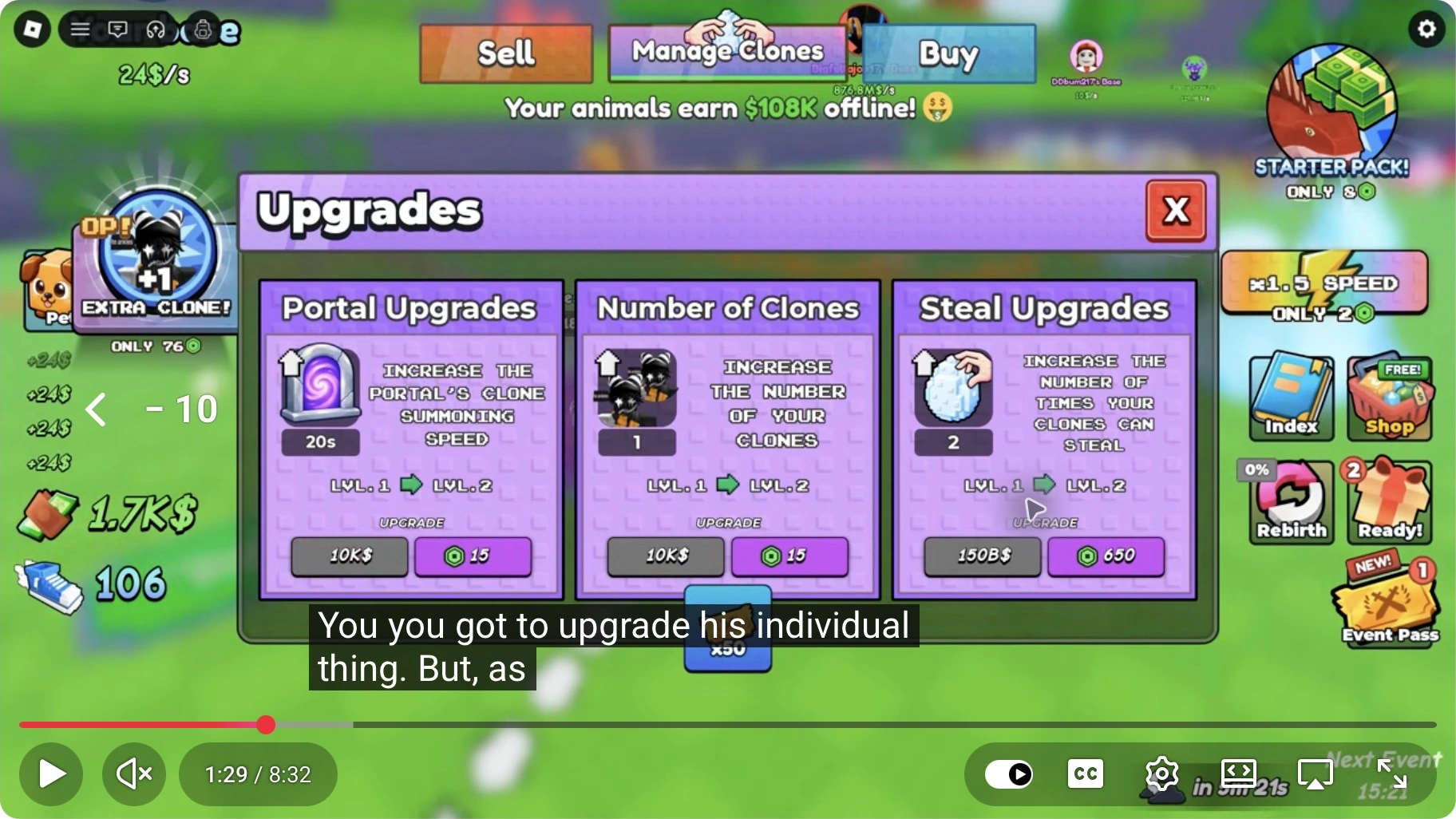
Read the three controls separately
| Control | Recorded purpose | What to compare |
|---|---|---|
| Portal Upgrades | Clone summoning speed | Time until a replacement appears |
| Number of Clones | Clone count | Displayed capacity and active clones |
| Steal Upgrades | Number of times clones can steal | Displayed steal value and completed runs |
Read the current value, the promised next effect and the price on your own screen. The historical frame is useful for identifying the controls, but its buttons are not a current price list. It also does not establish how many eggs a clone carries on each trip, whether every target uses the same timing, or the next level after a purchase.↗
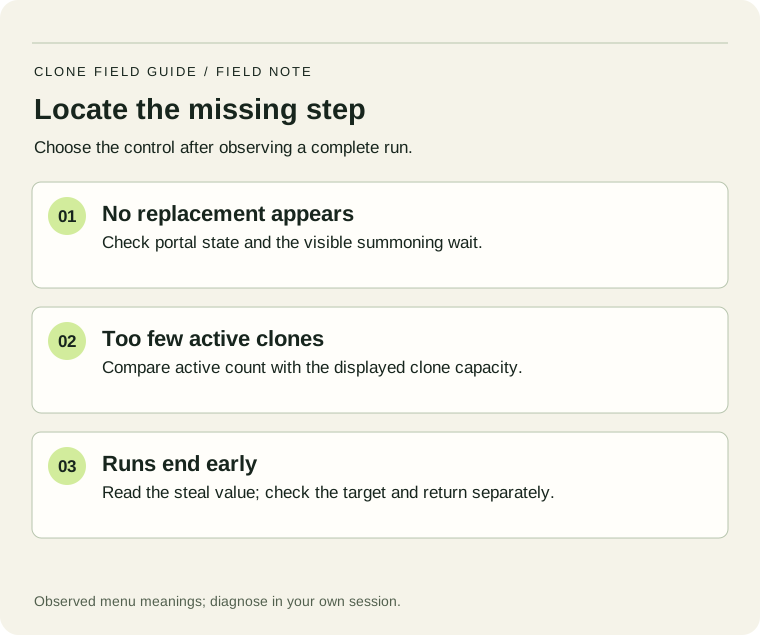
Run one controlled check
- Record target, speed, active clones and all three menu values.
- Watch several runs with the same target. Mark departure, egg return and replacement separately.
- Change one option only if it addresses the delay you observed.
- Repeat a comparable interval. Count completed deliveries rather than assuming a percentage increase.
For example, suppose you count six deliveries in three minutes, then eight in the next three after one purchase. Those illustrative readings are two and about 2.67 deliveries per minute. They do not prove the purchase caused the whole difference if targets, training or active boosts changed too. Record those changes instead of calling the result a guaranteed gain.
If no clone appears, first confirm the portal is available in your current setup and inspect the displayed wait. If clones move but no eggs return, check the selected target and its live requirements. If eggs reach the base, continue with the hatch guide. A server problem is still possible, but an incomplete observation is not enough to diagnose a bug.
Watch the upgrade menu
Use the original menu to identify each control; it is not a demonstration of every post-purchase result.↗
ROBLOX CLONE TO STEAL EGGS.. ↗
Superlex Plays · Late September 2026
Loading the player connects to YouTube. We use its privacy-enhanced player; YouTube may show its own ads. Privacy details.
What to look for
- 1:29Three cards, three purposes
Pause on Portal, Number of Clones and Steal. Copy the wording before comparing prices.
Keep a useful record
Use the short worksheet for this decision. Fill only the fields you can read or measure; leave an uncertain result marked unknown. A second observation is useful only when you can compare the same setup. Keep the date with your readings so a later balance change does not silently turn an old result into a current rule.
Diagnose one full run before changing the shop
Added 20 October 2026. The procedure below is our editorial planning method; any numerical example is hypothetical.
| Stage you can observe | What to record | Next check |
|---|---|---|
| Summon | Time from an empty portal to the next clone | If the wait dominates, inspect the Portal description before adding capacity. |
| Travel | Selected target and whether the clone reaches it | Read the live target condition; do not use an old video as a current gate table. |
| Return | Successful eggs returned in one fixed interval | Keep count separate from clones spawned; empty returns do not add hatchable eggs. |
| Hatch | Eggs waiting versus eggs opened | If the queue grows, inspect hatching and space before buying more delivery capacity. |
Change only one control between two equal-length observations. More clones cannot be assumed to fix a target gate or a hatch queue. Keep the old target and boosts unchanged while comparing portal or clone-count changes.
Sources & scope
- Official Roblox experience — identity and descriptionChecked 14 October 2026
- Superlex Plays — Portal, Number of Clones and Steal descriptions · 1:26–1:34Late September 2026 · inspected 2 October 2026
- LukeBlox — managing a clone and bringing eggs home · 0:14–0:4923 September 2026
Written 14 October 2026. Official identity and description were rechecked today. Gameplay stills and timestamp notes refer to the credited September recordings; they are not a new playtest. Worked numbers marked illustrative are planning examples, not current game prices. How we handle evidence.