Your first goal: a pet earning cash
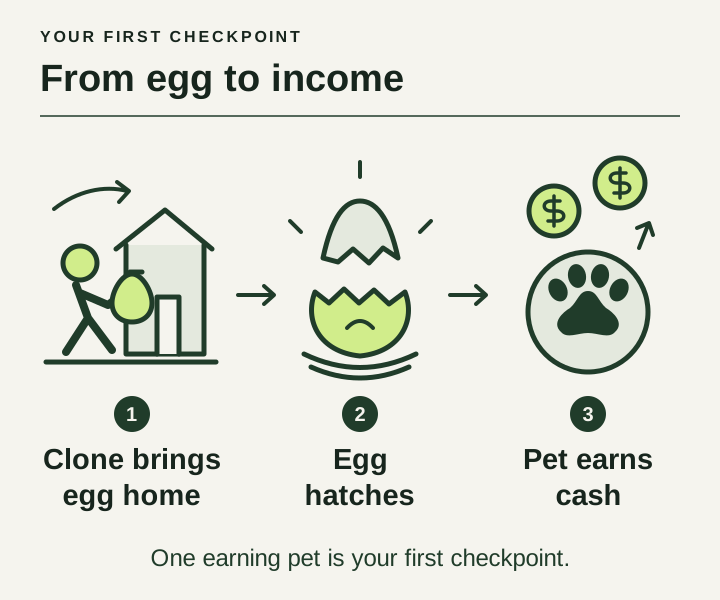
Follow the base tutorial until one clone brings back eggs and a hatched pet is earning. Train while the clone works, then spend game cash on the part of the loop that is slowing you down. Speed training, clone runs and pet income are the developer’s core loop.↗
The route below uses the basic loop and game-cash purchases shown in recorded play. No Robux item is required by these instructions. The recording also includes reward claims, so its running time is not a promise of how quickly a fresh account will progress.
From the portal to your first income
Activate the portal and wait for a clone
Follow the portal prompt at your base. In the opening of Superlex Plays’ recording, the portal produces a clone before he opens the target menu.↗
Move on when: A clone appears and the clone counter shows an active worker.
Choose a target in Manage Clones
Open Manage Clones and select an available target. The recording starts with Chicken at 0:15. Watch one run before changing the assignment.↗
Move on when: Your clone leaves for the selected target and brings an egg back.
Train during the run
Use the basic treadmill at your base. Watch the speed counter increase. Keep the current target working while you build speed; check a harder target’s own requirements before switching.↗↗↗
Move on when: Training increases your speed while the clone continues its job.
Open the returned egg at your base
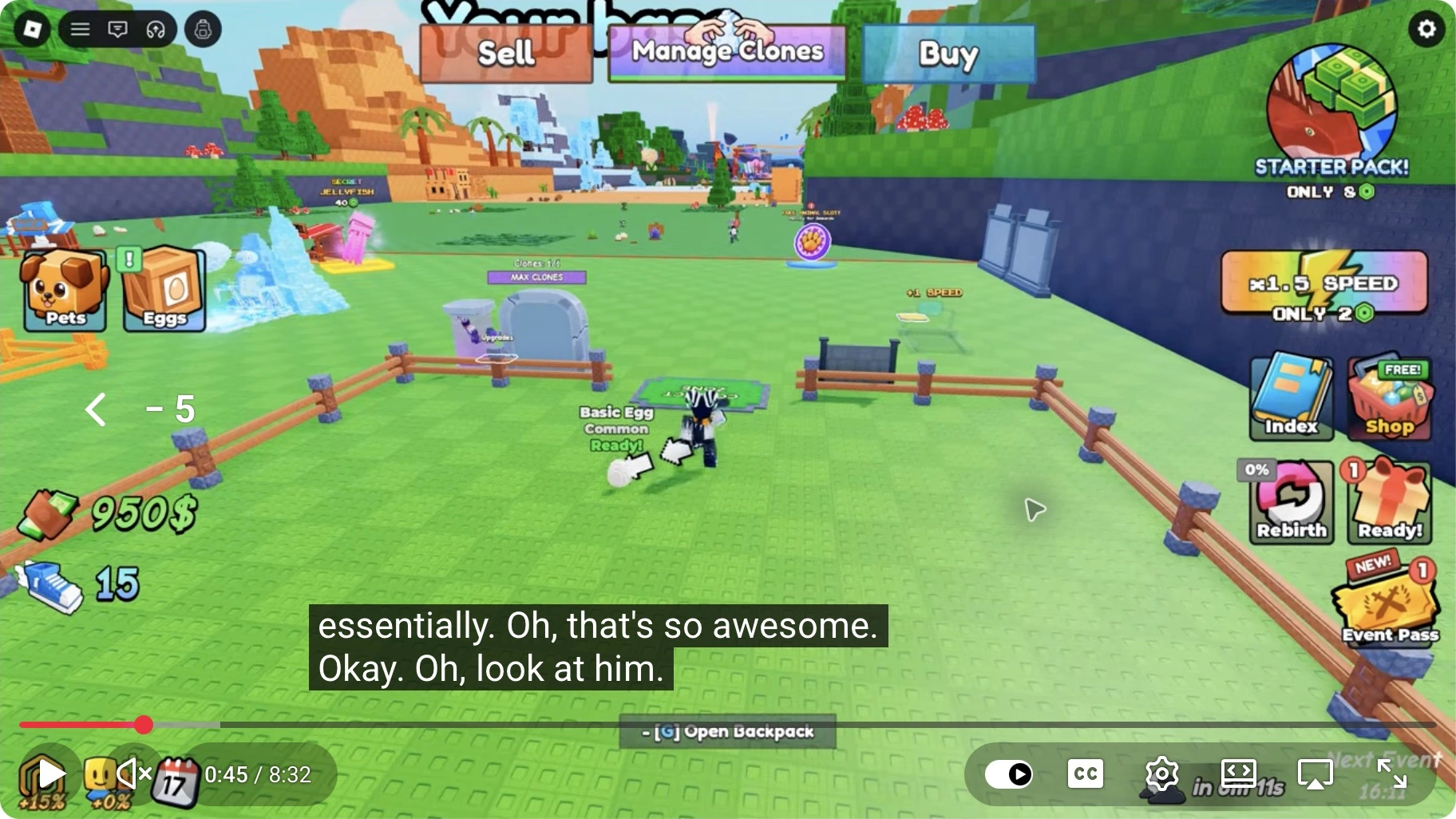
Check the egg that arrives at the base and follow its hatch prompt when ready. At 0:45 the video shows a Basic Egg marked Ready; at 0:50 a Chicken is standing at the base. Your hatch can differ.↗
Move on when: The egg has become a pet. An egg in the return area is not yet an earning pet.
Confirm that cash is coming in
Read the income above your base and watch the cash balance. The same recording shows income after the first hatch. Before buying anything, make sure the run, hatch and income stages all work.↗
Move on when: The base shows income and the balance rises without another purchase or reward claim.
Watch the egg become an earning pet
Follow the short opening sequence from a ready egg to an earning Chicken. The useful check is the change on the base: first a Ready label, then a pet with a cash-per-second label.↗
ROBLOX CLONE TO STEAL EGGS.. ↗
Superlex Plays · Published 29 September 2026
Loading the player connects to YouTube. We use its privacy-enhanced player; YouTube may show its own ads. Privacy details.
What to look for
- 0:45Find the ready egg
The Basic Egg is marked Ready at the base. This is the state to look for before hatching; the frame does not establish a standard waiting time for other eggs.
- 0:50Check for an earning pet
The Chicken and base show 12 cash per second in this setup. That visible income label is the checkpoint after hatching; a separate manual Equip action is not established by this sequence.
Make one purchase with game cash
When training is the delay, inspect the treadmill shop. Superlex’s recorded purchase shows Silver for 500 game cash, changing the displayed training gain from +1 to +3 speed per second. The cash and Robux buttons are separate options; check the current labels and the equipped state after buying.↗
If speed is sufficient for your current target, look at what is waiting instead. Portal, Number of Clones and Steal are separate upgrades. Buying a treadmill does not by itself establish that more eggs will arrive or more cash will come in.
Find the step that is stuck
Check one stage at a time. These are checks you can make in the menus and at the base, not verified fixes for a server bug.
| Symptom | Look here | What to do with the result |
|---|---|---|
| No clone starts a run | Manage Clones and the portal’s clone counter/countdown. | Check the assignment and let the displayed countdown finish. If the same state persists, record the target and counter before changing upgrades. |
| The target you want is unavailable | The target’s own requirement text. | Compare every listed condition with your current setup. Do not assume buying a more expensive treadmill satisfies every requirement. |
| An egg has returned, but income is unchanged | The returned egg’s status, then the pet at the base. | If it is ready, follow the hatch prompt. Check the income display after the hatch; an unopened egg is not the same stage as an earning pet. |
| A new hatch cannot be used | The Pets menu, active pets and available space. | Read the capacity message before buying or opening more. Do not sell a useful pet simply to test a guess. |
| An upgrade seems to do nothing | The number the purchase actually changes. | Compare training gain for a treadmill, summoning wait for Portal, and capacity for Number of Clones. Watch cash separately. |
The opening hatch sequence is visible at 0:45–0:50 in Superlex’s recording. He later remarks on running out of pet space at 3:27. Neither moment establishes a universal capacity limit or a guaranteed first pet.↗↗
Track the nine named zones
The official Roblox badge descriptions give you a useful reference for the zone names. They list nine stealing milestones, from Chicken in the first zone to Balrog King in the ninth. Each description awards its badge for stealing from that zone’s animal. These are the developer’s published badge conditions, checked on 4 October 2026; we have not earned the full set on a test account.↗
| Zone | Animal | Badge name |
|---|---|---|
| 1 | Chicken | Steal from Chicken ↗ |
| 2 | Snake | Steal from Snake ↗ |
| 3 | Yeti | Steal from Yeti ↗ |
| 4 | T-Rex | Steal from T-Rex ↗ |
| 5 | Whale | Steal from Whale ↗ |
| 6 | Dragon | Steal from Dragon ↗ |
| 7 | Dark Sentinel | Steal from Dark Sentinel ↗ |
| 8 | Sakura Beast | Steal from Sakura Beast ↗ |
| 9 | Balrog King | Steal from Balrog King ↗ |
Use the animal column to match a name you see in the game, then read the current instructions on your target screen. A badge condition describes an achievement; it does not supply the speed or earlier steals needed to unlock that target. The descriptions also do not say whether a clone’s return awards the badge.
When you try a new target, make a short record: its name, the conditions shown before the run, and whether the egg returns successfully. Change one thing at a time so you can tell whether more training or another completed run helped. If the egg returns but your income stays the same, check the hatch and pet stages before buying another upgrade.
Read the income unit before using the planner
The base and Chicken in Superlex’s 0:50 frame display 12 cash per second. That is a dated reading from one recorded setup, not a guaranteed Chicken value or a promise for your first hatch.↗
The planner asks for cash per minute. A displayed rate of 12 per second would convert to 12 × 60 = 720 per minute if it stayed constant. Do not enter 12 in a per-minute field and treat the result as the same rate.
| Reading | Meaning | Use in the planner |
|---|---|---|
| Wallet: 1.2K cash | The cash you already have. | Saved cash: 1,200. It is not an income rate. |
| Display: 12 cash / second | A displayed earning rate for that setup. | 720 cash / minute, subject to the display staying accurate and steady. |
| Wallet rises by 1.4K over 2 minutes | Cash actually gained during your observation. | 700 cash / minute, if no purchase, sale or reward changed the wallet. |
The wallet and two-minute values above are illustrative. If the display and a clean observation disagree, check for rounded balances, changed pets or an expiring boost. Repeat the observation before treating the difference as an upgrade effect.
Stop and take a baseline
Once the loop works, note your cash, speed, active pets and target. Watch a fixed interval without purchases or reward claims. Record both cash gained and successful egg returns. These answer different questions: a faster egg supply may help later, but it does not guarantee an immediate cash increase.
Keep free reward claims separate from that measurement. They can help your run, but a one-off cash gift would make the ordinary income rate look higher than it is. Change one purchase at a time and keep the rest of the setup steady.
Now you have a baseline
Keep your first cash-per-minute reading. It is the starting point for comparing the next purchase.
Choose your next upgrade →Sources & scope
- Official Roblox experience descriptionChecked 4 October 2026
- Superlex Plays — first clone, ready egg and earning pet · 0:00–1:01Late September 2026 · inspected 2 October 2026
- Superlex Plays — buying Silver with game cash · 1:38–1:39Late September 2026 · inspected 2 October 2026
- Superlex Plays — Portal, Number of Clones and Steal descriptions · 1:26–1:34Late September 2026 · inspected 2 October 2026
- Superlex Plays — rewards, hatching and clone expansion · 1:44–3:51Late September 2026 · inspected 2 October 2026
- Official Roblox badges — nine named zone milestonesChecked 4 October 2026
Content expanded and source references reviewed on 3 October 2026. The opening sequence, Silver purchase and 12 cash/second display are dated observations from Superlex Plays’ late-September footage. The target-counter example formerly linked to LukeBlox at 1:49 was removed because that captured frame shows the upgrade shop. We have not independently played or timed a fresh account. How we handle evidence.