What is in the official pass directory?
The official Roblox directory for this universe returned six passes for sale on 15 October: Auto Hatch, x2 Cash Gains, VIP, +4 Pet Slots, +2 Pet Slots and +1 Extra Clone. The table below records the public response, not a purchase made by this guide. A final offer on your own account is the relevant price before confirming anything.↗
| Pass name | Listed price | Pass ID |
|---|---|---|
| Auto Hatch | 40 Robux | 1982714672 |
| x2 Cash Gains | 75 Robux | 1981785509 |
| VIP | 150 Robux | 1981677586 |
| +4 Pet Slots | 95 Robux | 1988144539 |
| +2 Pet Slots | 185 Robux | 1992524277 |
| +1 Extra Clone | 95 Robux | 1987532252 |
The response gives names and prices, but most description fields are empty. That limits what the listing can prove. A name such as VIP does not document all benefits; a capacity label does not establish whether two offers combine. Check the current product explanation rather than filling those gaps with a competitor’s feature list.↗
Choose the problem before the product
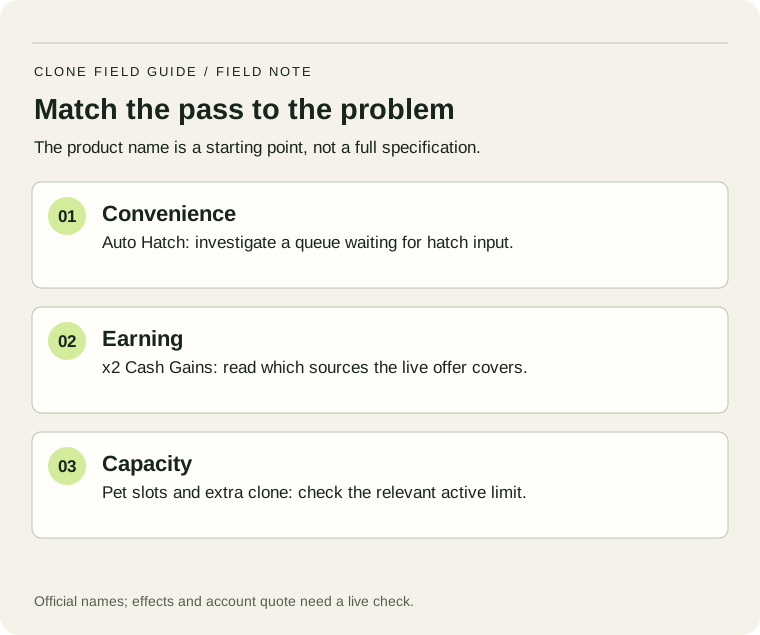
If eggs are reaching the base but waiting on an action, a convenience feature may be relevant. If your earning positions are already occupied and you have a useful spare pet, capacity may matter. If clones repeatedly fail to return, a pass that changes a different limit is unlikely to diagnose the failure. Establish the stage that needs help before comparing offers.
Keep Robux spending outside the cash-payback calculator. An in-game improvement can be compared with your cash target, but that does not turn earned game cash into a Robux refund or a monetary return. Decide separately whether the convenience or extra capacity is worth the listed price to you.
Read the surprising prices as observations
Today’s public response lists +4 Pet Slots at 95 Robux and +2 Pet Slots at 185 Robux. Several third-party pages show different amounts. Preserve the names, IDs and date instead of swapping the figures to make a more intuitive price ladder. This discrepancy is a reason to inspect the actual offer, not a conclusion that one product is a guaranteed better purchase.
- Match the pass name and creator to the correct Roblox experience.
- Read ownership, access conditions, described effect and the account-specific quote.
- Check whether a cash upgrade already addresses the same delay.
- Decide a Robux budget separately from the in-game wallet.
- After any purchase you choose to make, confirm the ownership and actual effect before buying another.
A cash-priced treadmill, a consumable item and a permanent pass may all appear near each other in a shop. Record which type of purchase you are evaluating. The six-pass API response is not a complete list of developer products, event offers or subscription benefits. An item absent from this directory has not automatically been removed from the game.
For a simple comparison, write the task you expect to complete differently: fewer manual hatch actions, one additional active clone, or room for a candidate pet. Return to that task after the change. If the relevant behavior is still unresolved, stop the comparison there; an unrelated wallet increase does not prove that the intended feature worked.
Keep a useful record
Use the short worksheet for this decision. Fill only the fields you can read or measure; leave an uncertain result marked unknown. A second observation is useful only when you can compare the same setup. Keep the date with your readings so a later balance change does not silently turn an old result into a current rule.
Match the offer to the bottleneck before buying
Added 24 October 2026. Numerical examples below are hypothetical planning exercises, not a new gameplay test.
| Observed bottleneck | What to inspect | What to measure afterward |
|---|---|---|
| Eggs wait while delivery continues | Auto Hatch ownership, enabled state and live offer wording | Completed hatches per minute and whether the waiting queue shrinks. |
| Idle contributing space | Pet-slot offer and usable pets already in your inventory | Whether an extra slot actually adds a contributing pet. |
| Clones return too slowly | Target gate, summon wait and clone-capacity controls | Successful returns, rather than only the number of clones spawned. |
| Cash goal is far away | The exact Cash offer, current baseline and a fixed test window | An equal-length wallet reading without one-off rewards. |
The 24 October public listing still returns six passes: Auto Hatch 40, x2 Cash Gains 75, VIP 150, +4 Pet Slots 95, +2 Pet Slots 185 and +1 Extra Clone 95 Robux. These are unauthenticated API snapshot values, not your personal checkout prices. The slot ordering is reproduced as returned; do not infer bundle prerequisites or value from price alone.↗
After a purchase: distinguish ownership from activation
Save the purchase confirmation, reopen the relevant menu and check both ownership and the enabled state. A receipt proves a transaction; a queue that continues growing may still indicate a different bottleneck. If the ownership display fails to update, preserve the receipt and exact menu message before attempting another purchase. Do not buy the same offer again merely to test whether the first transaction worked.
Sources & scope
- Official Roblox experience description and identityChecked 15 October 2026
- Official Roblox universe pass directory — public listing snapshotPublic response checked 15 October 2026; not an account checkout quote
- Roblox public pass listing — snapshot checked 24 October 2026Checked 24 October 2026; unauthenticated public response
Written 15 October 2026. Official game and pass-directory data were checked today. Credited screenshots and video notes describe September recordings, not a current-server playtest. Worked examples are editorial calculations, not current game prices or tested drop odds. How we handle evidence.